Key takeaways
- Lower your mouse sensitivity, raise your DPI moderately. A DPI around 800–1600 with in-game sensitivity reduced by 20–30 percent makes rail grinding and tight turns far more controllable than a fast, twitchy camera.
- Rebind sprint to a key your left hand rests on. Holding Shift for minutes at a time is a common cause of pinky and wrist strain; a thumb-side key or a controller trigger is easier to hold.
- Turn off camera shake and motion blur. They add visual noise without adding information, and they make precise landings harder.
- Cap the frame rate instead of chasing maximum settings. A steady 60 fps reads as smoother than a fluctuating 90, and it lowers heat and fan noise near your face.
- Use a wired connection or 5 GHz Wi-Fi. Rubber-banding during a speed run is a latency problem, not a skill problem.
- Bind a quick menu key to your mouse’s side button if it has one, so your right hand never leaves the mouse mid-run.
In Sonic Speed Simulator, comfortable long sessions come down to two things most guides skip: the control bindings you actually use on PC and gamepad, and the desk, chair and room measurements that keep your wrists, neck and back out of trouble after two hours of rail grinding. Set your seat height so your feet sit flat and your elbows land at roughly 90–100 degrees, keep the monitor 20–30 in (50–75 cm) from your eyes with its top edge at eye level, leave 30–36 in (76–91 cm) of clearance behind the chair so it can recline, and a room as small as 10 x 12 ft works fine.
Sonic Speed Simulator controls: PC and gamepad defaults
The game runs inside Roblox, so bindings follow Roblox’s input system and can shift between updates. The table below lists the actions you need mapped and where they normally sit. If a key does nothing, open the Roblox settings menu and check the current mapping before assuming your keyboard or controller is faulty.
| Action | Keyboard + mouse (typical) | Gamepad (typical) |
|---|---|---|
| Move / steer | W, A, S, D | Left stick |
| Camera / look | Mouse movement | Right stick |
| Jump, then double jump | Space, press again mid-air | A / Cross, press again mid-air |
| Sprint / boost | Hold Shift | Hold the right trigger |
| Charged roll / spin dash | Hold the sprint key while standing still, then release | Hold the boost trigger while standing still, then release |
| Homing attack | Jump, then jump again near a target | Same jump button near a target |
| Interact (portals, NPCs, prompts) | E, or click the on-screen prompt | A / Cross, or the on-screen prompt |
| Menu / chat | Esc or / | Menu button |
Mobile players get on-screen thumbstick and buttons instead, which is worth knowing if a younger player shares the same desk — the chair and screen setup advice below still applies, but a phone or tablet should be propped at eye level rather than flat on the desktop, where it forces the neck down 30–40 degrees.
Control tips that change how the game feels
- Lower your mouse sensitivity, raise your DPI moderately. A DPI around 800–1600 with in-game sensitivity reduced by 20–30 percent makes rail grinding and tight turns far more controllable than a fast, twitchy camera.
- Rebind sprint to a key your left hand rests on. Holding Shift for minutes at a time is a common cause of pinky and wrist strain; a thumb-side key or a controller trigger is easier to hold.
- Turn off camera shake and motion blur. They add visual noise without adding information, and they make precise landings harder.
- Cap the frame rate instead of chasing maximum settings. A steady 60 fps reads as smoother than a fluctuating 90, and it lowers heat and fan noise near your face.
- Use a wired connection or 5 GHz Wi-Fi. Rubber-banding during a speed run is a latency problem, not a skill problem.
- Bind a quick menu key to your mouse’s side button if it has one, so your right hand never leaves the mouse mid-run.
Desk and chair measurements for long play sessions
Seat height comes before desk height. Set the chair first so your feet rest flat and your knees sit level with or slightly below your hips, then adjust the desk to match your elbows — not the other way around. A fixed-height desk that’s wrong for your body is the single most common cause of shoulder ache in long sessions.
| Measurement | Target range | What it prevents |
|---|---|---|
| Seat height | 16–21 in (41–53 cm), feet flat on floor or footrest | Numb feet, compressed thighs |
| Desk height | 28–30 in (71–76 cm) for keyboard and mouse; 24–27 in if you play with a controller on your lap | Raised shoulders, wrist extension |
| Elbow height when seated | Desk surface 1–2 in below your resting elbows | Forearm and elbow strain |
| Seat depth | 16–18 in, with a 2–3 in gap behind your knees | Pressure behind the knee, slouching |
| Armrest height | 8–11 in above the seat, shoulders relaxed | Shrugging and neck tension |
| Monitor distance | 20–30 in (50–75 cm) — roughly an arm’s length | Eye strain, leaning in |
| Monitor top edge | At or slightly below eye level | Forward head posture |
| Knee space under the desk | At least 25 in high, 24 in deep, 24 in wide | Knees hitting drawers or a support bar |
| Clearance behind the chair | 30–36 in (76–91 cm) | Being unable to recline or stand up cleanly |
Controller vs keyboard ergonomics
Neither is universally better; they load different parts of the body. A keyboard and mouse keep your hands far apart at shoulder width, which is easier on the thumbs but puts the wrists into a fixed plane and loads the mouse shoulder over time. A controller keeps both hands together and low, which is gentler on the shoulders and easier on the neck if you lean back — but it concentrates movement in the thumbs and can cause grip fatigue during long sprint holds.
Practical compromise: if you play more than about 90 minutes at a stretch, a controller with your chair reclined 100–110 degrees is usually the more comfortable option, while keyboard and mouse wins for menu-heavy sessions and for players who prefer precise camera control. Either way, keep your wrists floating rather than resting on a hard edge, and take a 20-second break every 20 minutes to look at something 20 ft away.
Room layout: fitting a comfortable setup into a 10 x 12 ft room
A 10 x 12 ft room is 120 sq ft, which is enough for a full setup if you plan the footprint instead of buying furniture first. A 55 in wide desk with a 28 in depth plus the 36 in chair zone uses about 64 in of depth — a little over 5 ft — leaving roughly 4–5 ft behind you in a 10 ft deep room for a doorway or shelving.
- Walkways: 30 in minimum, 36 in comfortable. Anything under 24 in becomes a shuffle.
- Desk width: 40–47 in fits a single monitor and console controller; 55–60 in is needed for dual monitors or a second player.
- Monitor arm clamps: most grip desktops from about 0.4 in to 2 in thick. Measure your desktop edge before buying — a 1.5 in thick butcher-block top is at the limit.
- Floor protection: on carpet, use a 36 x 48 in chair mat or larger casters; on hardwood, softer polyurethane wheels protect the finish better than hard nylon.
- Lighting: place a light source perpendicular to the screen, not behind it. A window directly behind the monitor creates glare that makes you lean forward.
- Power: mount a surge protector under the desktop rather than on the floor, and leave 3–4 in of clearance so cables aren’t pinched when the desk is against the wall.
Desk materials: what you get and what wears out
For a gaming desk, the top is the wear item and the frame is the longevity item. Knowing which fails first tells you where to spend.
| Construction | Typical market range | Weight (55 in desk) | What wears first | Best for |
|---|---|---|---|---|
| Engineered wood top (particleboard or MDF with laminate) on a steel frame | $80–$300 | 40–90 lb | Edge swelling if liquid sits on a chip; screw holes strip after two or three reassemblies | Renters and first setups |
| Solid wood top (rubberwood, acacia, oak) on a steel frame | $250–$900 | 50–120 lb | Surface dents and scratches, which can be sanded out | Long-term setups, heavy monitor arms |
| Bamboo or butcher block top with bolt-together frame | $150–$500 | 35–80 lb | The frame finish; the top outlasts it | Frequent movers |
| Tempered glass top | $150–$450 | 40–70 lb | Scratches, fingerprints, and clamp pressure points | Small rooms where visual lightness matters |
Two structural details matter more than the material name: machine bolts threading into metal inserts survive repeated disassembly, while cam-lock fittings into particleboard do not, and a frame with a cross-brace or diagonal support will stay square far longer than a plain four-leg rectangle. For a chair, look for a foam density around 2.5–3.5 lb per cubic foot in the seat cushion — lower-density foam compresses into a flat spot within a year of daily use — and a gas-lift cylinder rated for your weight plus a margin, since the cylinder is usually the first part to fail, often after 2–4 years.
Matching the setup to your situation
| Your situation | Prioritize | What to look for |
|---|---|---|
| Small apartment or studio | Footprint and vertical storage | 40–47 in wide, 20–24 in deep desk; wall-mounted or clamp-on monitor arm; 24 in walkway |
| Kids and pets in the house | Stability and cleanable surfaces | Base weight over 40 lb, anti-tip feet, laminate or closed-cell cushion, cable tray, no glass top |
| Renter who moves often | Reassembly durability | Bolted steel frame, total weight under 60 lb, largest packed panel under 30 in so it clears a standard doorway |
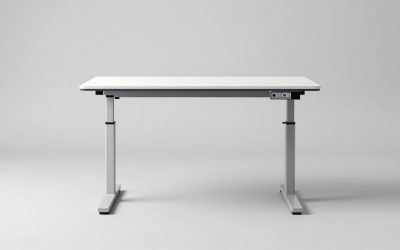
| Back or neck pain | Adjustability over aesthetics | Height-adjustable desk covering roughly 25–50 in, chair with adjustable lumbar support and seat depth |
| Shared desk with a console player | Width and cable routing | 55–60 in top, 28–30 in depth, separate cable channels for two devices |
Assembly, moving and durability realities
- Box weight: a flat-pack 55 in desk typically ships at 45–70 lb in a carton around 50 x 30 x 6 in. Anything over 50 lb is a two-person carry up stairs.
- Doorways: standard interior doors are 30–32 in wide. A 55 in desk assembled will not pass through one — build it in the room it lives in.
- Assembly time: budget 45–90 minutes for a desk with a frame and 20–40 minutes for a task chair, and keep the hardware in the labeled bag until each step is done.
- What wears first on a desk: the edge banding, then the screw holes at the leg mounts, then the finish where your wrists rest. A $10 desk mat protects the third and delays the first.
- What wears first on a chair: the gas cylinder, then the armrest pads, then the casters, then the upholstery. Buying a chair with a replaceable cylinder extends its life considerably.
FAQ
Do I need a gaming desk specifically?
No. What matters is height (28–30 in for keyboard play), depth (at least 24 in for a monitor at arm’s length), and stability under fast hand movement. A plain office desk with those numbers performs the same job, and often at a lower price.
Does desk height matter if I play with a controller?
Yes, but differently. If you hold the controller at chest height with your elbows tucked, a lower surface around 24–27 in keeps your shoulders down. If you rest the controller on the desktop, use the same 28–30 in target as a keyboard player.
How much space do I really need?
A single-monitor setup needs about 40–47 in of desk width and 64 in of total depth once the chair zone is included. A 10 x 12 ft room comfortably fits that plus a bookshelf or a second chair, provided you keep a 30 in walkway.
Should I use a footrest?
Only if your feet don’t reach the floor after setting the seat height correctly. A 4–6 in footrest is usually enough, and it lets you keep the chair at a height that suits your elbows instead of compromising on both.