Our Top Picks
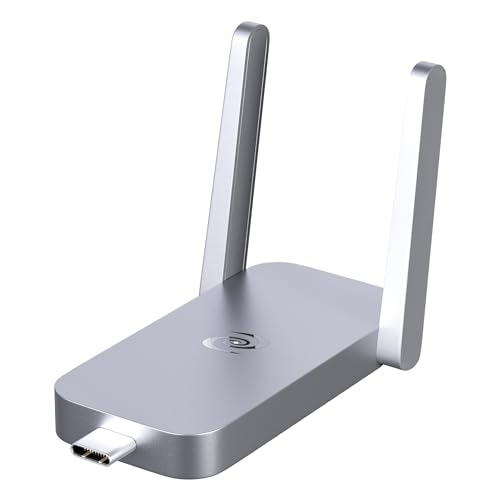 Deeper Connect Air Portable WiFi Wireless Router Hotspot5.31 x 2.56 x 0.79 inches0.02 poundsCheck on Amazon
Best VPN for Privacy: Secure Picks
For most people, Mullvad is the best VPN for privacy because it minimizes the personal information needed to open an account and pairs that approach with strong encryption, leak protection, and external audits. Choose Proton VPN if you want a free plan or a broader privacy-focused service, and IVPN if you value a small, transparency-focused provider and flexible account options. No VPN can make you anonymous by itself: it shifts some trust from your internet provider to the VPN company.
Privacy picks by situation
- Best for minimizing account information: Mullvad. You can create an account without supplying an email address, and the service uses a randomly generated account number. Its fixed monthly pricing avoids a long-term subscription commitment. Check the current device limit before subscribing; Mullvad allows up to five simultaneous devices.
- Best free option: Proton VPN. Its free tier has no data cap, a useful distinction from many free VPNs. It has fewer server and feature choices than its paid plans, and free-plan device limits can differ from paid-plan limits. Confirm the current terms if you need to protect several devices.
- Best for a privacy-focused, smaller provider: IVPN. It offers account options that limit personal details and publishes security and transparency information. Its plans have different device limits, so compare the plan you intend to buy rather than assuming every subscription covers the same number of devices.
- Best if you want a large, established network: Proton VPN or Mullvad. Compare their current server locations against where you actually need to connect. A larger network is useful for location choice, but it does not by itself make a VPN more private.
What matters more than the “no-logs” label
A no-logs policy is a promise about what a provider says it records. Look for specifics: does it say it does not retain browsing history, DNS queries, connection timestamps, source IP addresses, or bandwidth records? A provider may still collect account, payment, support, or diagnostic data. The privacy policy should distinguish those categories rather than treating “no logs” as a blanket guarantee.

Mullvad VPN - 12 Months for 5 Devices - No-Log VPN Service for Your Privacy
Chosen because it specifies 12 Months for 5 Devices and No-Log VPN Service for Your Privacy.
View on Amazon![ESET Home Security Premium | Antivirus | 2025 Edition | 3 Devices | 1 Year| Unlimited VPN | Privacy Protection | Ransomware | Anti-Theft | Digital Download [PC/Mac/Android]](https://m.media-amazon.com/images/I/51rUg2B8o2L._SL500_.jpg)
ESET Home Security Premium | Antivirus | 2025 Edition | 3 Devices | 1 Year| Unlimited VPN | Privacy Protection | Ransomware | Anti-Theft | Digital Download [PC/Mac/Android]
Chosen because it specifies Antivirus and 2025 Edition.
View on AmazonDeeper Connect Air Portable WiFi Wireless Router Hotspot Device, Lifetime Free Router VPN for Travel Privacy, Compact VPN Routers for Home and Remote Work
Chosen because it specifies Lifetime Free Router VPN for Travel Privacy and Compact VPN Routers for Home and Remote Work.
View on Amazon
Deeper Connect Mini DPN Router, 1Gbps ARM64 Quad Core Hardware Gateway with Layer 7 Firewall, Smart Routing, Multi Device Coverage and Lifetime Decentralized Privacy VPN Router
Chosen because it specifies 1Gbps ARM64 Quad Core Hardware Gateway with Layer 7 Firewall and Smart Routing.
View on AmazonIndependent audits can add evidence, but they are snapshots, not permanent certification. Check who conducted the audit, what systems and claims it covered, and when it took place. A review of an app’s security is not the same as an examination of server practices or logging controls. Providers such as Mullvad, Proton VPN, and IVPN have published independent security or infrastructure assessments; read the specific report before relying on a broad marketing summary.
Jurisdiction is relevant, but it is only one part of the picture. A company’s legal home can affect which laws and requests apply, while its technical design and data-retention practices affect what information it could provide. Don’t assume that a particular country automatically makes a VPN safe or unsafe. Prefer a provider that explains its legal structure and publishes transparency information.
Privacy features to verify before subscribing
- Encryption and protocols: Look for modern protocols such as WireGuard or OpenVPN, along with strong encryption in the apps. Encryption protects the tunnel between your device and the VPN server; it does not encrypt every connection all the way to a website.
- Kill switch: This blocks internet traffic if the VPN connection drops. Check whether it is enabled by default and whether it works outside the VPN app’s main window—for example, after a laptop wakes from sleep.
- DNS leak protection: DNS requests can reveal which domains you look up. A privacy-focused VPN should route these requests through its own protected DNS service while connected. A leak test can help you check a particular device and network, but results are not a substitute for a clear technical explanation.
- Device limits: Count phones, computers, tablets, and household devices that will use the subscription at the same time. Limits vary by provider and sometimes by plan. A router connection may cover multiple devices through one VPN connection, but it requires compatible equipment and can be less convenient to manage.
- Apps and updates: Privacy protections are only useful when the app is available for your operating system and maintained. Check support for your actual devices, including whether the kill switch and leak protection work on each platform.
Comparison at a glance
| Provider | Best fit | Account and plan considerations | What to verify |
|---|---|---|---|
| Mullvad | People who want to minimize account details | Account number rather than a required email; up to 5 simultaneous devices | Current audit reports, supported locations, and whether its fixed-price approach suits you |
| Proton VPN | People who want a no-cost starting point or a broader privacy service | Free and paid plans differ in features and device allowances | Current free-plan limits, paid-plan device count, and the scope of published audits |
| IVPN | People who prioritize provider transparency and account privacy | Device allowances depend on the selected plan | Plan-specific limits, app features, audit scope, and server availability where needed |
Device limits and plan features can change. Confirm them on the provider’s current plan page before paying, especially if you are choosing a VPN for a family or want to protect a router alongside personal devices.
How to choose the right one
- Decide what you are protecting against. A VPN can reduce what your internet provider sees about your destinations and can protect traffic on untrusted Wi-Fi. It does not prevent tracking through cookies, account logins, browser fingerprinting, or malware.
- Set a minimum evidence standard. Find a detailed no-logs policy, a recent independent assessment relevant to the claim, and a clear explanation of jurisdiction and data handling. If those details are difficult to find, treat that as a reason to keep looking.
- Check failure protections. Confirm that the apps you use include a kill switch and DNS leak protection. Test them on your own operating systems after setup; settings and behavior can differ between desktop and mobile apps.
- Count simultaneous connections. Choose a plan that covers your real usage without relying on devices being disconnected at inconvenient times.
- Try the setup before depending on it. Install the app, enable the kill switch, and check that your connection behaves as expected. A VPN may reduce speed, and nearby servers are often a more practical starting point than a distant location.
Bottom line
Pick Mullvad if limiting account information is your priority and its five-device limit works for you. Choose Proton VPN if you want to begin with a free, data-unlimited plan and can accept its plan-specific restrictions. Consider IVPN if you prefer a smaller provider with a privacy-centered approach and have checked the device allowance for your chosen plan. Whichever you select, judge the evidence behind its policies and verify its kill switch and DNS protection on the devices you actually use.