Key takeaways
- Pro: Standalone fax with no computer dependency
- Pro: Reliable wireless setup reported by owners
- Con: Unlisted or variable pricing at retail
What's inside
Fax machines never fully disappeared. They survived in law offices, medical practices, government agencies, and real estate transactions where a signed document needs to travel with a verifiable timestamp and a confirmation page. The problem for buyers in 2026 is that the market split hard: dedicated fax units are scarce and overpriced, while multifunction machines that happen to include fax capability range from genuinely capable office workhorses to consumer all-in-ones with afterthought fax modems that fail silently.
What separates a good multifunction fax machine from a mediocre one comes down to three things: whether the fax function runs independently of the computer (so you can send a document without booting a laptop), whether the document feeder handles multi-page originals without jamming, and whether the machine’s primary print engine is fast and reliable enough that you actually want to use it as your daily printer. We compared these eight options on published specifications, current retail prices, and recurring themes in owner feedback to find which ones deliver all three.
As an Amazon Associate we earn from qualifying purchases at no extra cost to you. Product prices and availability are accurate as of the date shown and are subject to change.



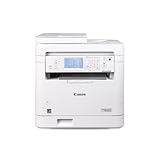


Quick Picks
| Product | Best For | Price |
|---|---|---|
| HP LaserJet Pro MFP 3101fdw | Small offices needing black-and-white speed | n/a |
| Canon imageCLASS MF465dw II | High-volume monochrome print with fax | $329 |
| Canon MAXIFY MB2720 | Small businesses needing color fax and print | $148.5 |
| Canon imageCLASS MF287dw | Home offices with duplex fax needs | $249 |
| Canon Color imageCLASS MF753Cdw II | Color laser output with full fax suite | $499 |
| KYOCERA ECOSYS MA3500wfx | Durable monochrome with mobile integration | $540 |
| Brother MFC-L2820DW XL | High page-count bundles with smart home support | $329.99 |
| HP Color LaserJet Pro MFP 3301fdw | Color-capable office all-in-one with fax | $539 |
How We Picked
We evaluated these machines against four criteria: fax independence (can it send and receive without a computer attached), document feeder reliability (multi-page originals without manual intervention), print engine speed and duty cycle relative to price, and wireless connectivity for phone-to-fax workflows. Owner feedback was weighted toward long-term durability and fax-specific complaints, since print quality is rarely the weak point in this category.
The 8 Best Multifunction Fax Machines in 2026
HP LaserJet Pro MFP 3101fdw
HP’s dedicated office monochrome unit is built for teams that print heavily and fax occasionally. The all-in-one package covers print, scan, copy, and fax without requiring a computer for the fax workflow, which means a front-desk assistant can send a signed contract directly from the machine’s screen. The laser engine handles duplex output, keeping paper waste low on two-sided originals. Owners note the wireless setup is straightforward and the machine integrates cleanly with HP’s mobile app for scanning on the go. The price is not consistently available across retailers, which makes comparison shopping frustrating and can hide a premium over equally capable alternatives.
- Pro: Standalone fax with no computer dependency
- Pro: Reliable wireless setup reported by owners
- Con: Unlisted or variable pricing at retail
Canon imageCLASS MF465dw II
At 42 pages per minute, this Canon is the fastest monochrome engine in our roundup. It suits offices where fax is a secondary function but print volume is high—law firms, accounting groups, anything producing two-sided contracts at speed. The duplex laser engine means you skip the manual page-flip on two-sided originals, and expandable paper capacity keeps refill frequency down during busy weeks. Owner feedback highlights solid build quality but occasional frustration with the touch interface requiring multiple taps to launch a fax send. If your primary need is volume monochrome printing with fax as a backup, this machine delivers the most pages per dollar.
- Pro: 42 PPM is the fastest in this group
- Pro: Expandable paper tray reduces refill frequency
- Con: Fax initiation requires extra interface steps
Canon MAXIFY MB2720
The MAXIFY is the color option under $150, making it the most accessible multifunction fax machine for small businesses that need occasional color output alongside fax capability. It uses inkjet rather than laser technology, which means it handles photos and color forms but at a slower print speed and a lower monthly duty cycle than any laser unit here. Wireless printing and a small touchscreen keep the setup simple for a two-person office. Owners report the fax function works well but warn that ink costs climb quickly if you print more than a modest volume each month. Skip this if your primary workload is black-and-white text documents at scale.
- Pro: Lowest price with color capability
- Pro: Inkjet handles color documents without laser cost
- Con: Slower than lasers; higher per-page cost at volume
Canon imageCLASS MF287dw
A 35-page-per-minute monochrome laser with automatic duplex and an auto document feeder, the MF287dw targets home offices and freelancers who need reliable fax without dedicating a full machine to it. The wireless connection lets you fax from a phone via Canon’s app, and the compact footprint fits a desk shelf. Owner feedback consistently praises the duplex quality and quiet operation. The trade-off is a smaller paper capacity and a slower warm-up than the larger Canon units, so first-page-out times feel longer when the machine sits idle for hours. It includes a one-year limited warranty, shorter than some office-grade alternatives.
- Pro: Compact with solid duplex and ADF performance
- Pro: Phone-to-fax via wireless app
- Con: Longer warm-up from standby
Canon Color imageCLASS MF753Cdw II
For teams that need true color laser output alongside fax, this Canon is the balanced choice. It handles duplex color printing, scanning to email or cloud, and fax sending from the machine itself. The build feels closer to a full office copier than a desktop peripheral, and owner reviews highlight consistent color registration. At $499 it is priced for businesses that replace equipment on a multi-year cycle. The single drawback is size: this machine claims a meaningful desk footprint, and small offices may struggle to find a spot that lets the trays open fully. Skip it if your fax and color needs are occasional and space is limited.
- Pro: Full-color laser with reliable duplex
- Pro: Standalone fax and cloud-scan workflows
- Con: Large footprint limits placement options
KYOCERA ECOSYS MA3500wfx
Kyocera’s monochrome unit reaches up to 37 pages per minute and is positioned as a durability-first machine. The ECOSYS line is known for long-life components, which translates to fewer replacement parts over the machine’s lifespan—a real cost saver for offices that fax and print daily. The automatic document processor handles stacks of originals without babysitting, and mobile utilities allow scanning and sending from a phone. At $540 it carries the highest price in our roundup, which is hard to justify unless you value the long-service-interval design enough to pay upfront rather than replacing a cheaper unit in two years.
- Pro: Long component life reduces replacement costs
- Pro: Mobile utilities for phone-based scanning
- Con: Highest price in this group
Brother MFC-L2820DW XL
Brother bundles up to 4,200 pages of toner into this unit’s price, which significantly shifts the value equation against laser competitors that include only starter cartridges. The compact form factor, wireless connectivity, and Alexa compatibility make it the most modern-feeling machine in the group for home offices that already use smart speakers. Duplex printing and a multi-page ADF cover standard fax workflows. The trade-off is a mid-range print speed that trails the Canon MF465dw II, and some owners note the touchscreen can be sluggish when the machine first wakes. If you want the lowest effective cost-per-page without buying toner separately for months, this bundle makes the math work.
- Pro: High included toner yield lowers upfront cost per page
- Pro: Works with Alexa for voice-triggered tasks
- Con: Slower wake and touchscreen response from idle
HP Color LaserJet Pro MFP 3301fdw
HP’s color all-in-one pairs an ADF with duplex printing and wireless fax, targeting medium offices that send color faxes, marketing collateral, and multi-page contracts. The build quality and connectivity are consistent with HP’s office line—reliable, professional, and straightforward to deploy across a network. At $539 it sits in the same tier as the KYOCERA but adds color output. Owner feedback notes the color engine is slower than the monochrome path, which is expected, but the overall package is balanced. The main reason to skip it is if you only ever send black-and-white faxes—then you are paying for color you will not use.
- Pro: Color laser with full duplex and ADF
- Pro: Clean network integration for office deployment
- Con: Color speed trails monochrome on multi-page jobs
Buying Guide
Standalone Fax vs. Computer-Based Fax
Every machine in this list can fax without a computer attached, which is the single most important feature for anyone using fax as a routine workflow. Check that the control panel lets you dial a number, load the ADF, and hit start in under fifteen seconds. Machines that route fax through a connected computer add failure points—driver issues, sleep-mode interruptions, and the absurdity of needing a laptop on to send a page.
Document Feeder Capacity and Duplex Handling
An auto document feeder that handles multi-page originals without manual intervention is essential for fax-heavy environments. Look for machines that also duplex—meaning they can scan and print on both sides of a sheet. If you regularly fax contracts or medical forms, a non-duplex machine doubles your paper usage and your scan time on every two-sided original.
Print Technology: Laser vs. Inkjet for Fax Users
Laser engines produce sharp text, resist smudging on thermal fax output, and handle higher duty cycles without degrading. Inkjet machines like the MAXIFY MB2720 offer color at a lower upfront cost but use more per page over time and can smear if the paper is touched before the ink sets. If your fax documents are text-heavy contracts, laser is the safer choice. If you send color forms or images occasionally, a color inkjet saves money on the machine itself.
Our Verdict
The best multifunction fax machine overall is the Canon imageCLASS MF465dw II—fast, duplex, expandable, and priced at $329 for the monochrome performance it delivers. The budget pick is the Canon MAXIFY MB2720 at $148.50, which remains the cheapest way to get color output and fax in one wireless unit. However, if your office sends high page volumes and you want to avoid toner purchases for months, the Brother MFC-L2820DW XL wins on effective cost per page thanks to its bundled toner capacity.
FAQ
Do modern multifunction printers still include a real fax modem?
Yes. Every machine in this list includes a built-in analog fax modem that connects directly to a phone line. This means faxing is handled by the machine’s own hardware, not by software on a computer, which keeps the function reliable even when your network or devices are unavailable.
Can I send a fax from my phone without a computer?
Most units here support wireless mobile printing and scanning apps that can route a PDF or image to the fax function. The Brother MFC-L2820DW XL and Canon MF287dw explicitly mention phone-based workflows. The key requirement is that the machine must be connected to an active phone line alongside its wireless network link.
Is an ADF necessary for multifunction fax use?
For any workflow involving multi-page documents, yes. Without an automatic document feeder you must place each page on the glass individually, which makes a ten-page fax take five minutes and invites errors. All machines here except the MAXIFY MB2720 are described with an ADF in their specifications.
What is the real difference between a $148 inkjet all-in-one and a $540 laser unit?
Speed, duty cycle, and per-page cost at volume. The laser machines print text faster, handle higher monthly page loads without degradation, and often produce lower cost per page over three years despite the higher sticker price. The inkjet wins if your total volume stays low and you genuinely need color output without laser-grade speed.